Littlebird bets screenreading beats integrations
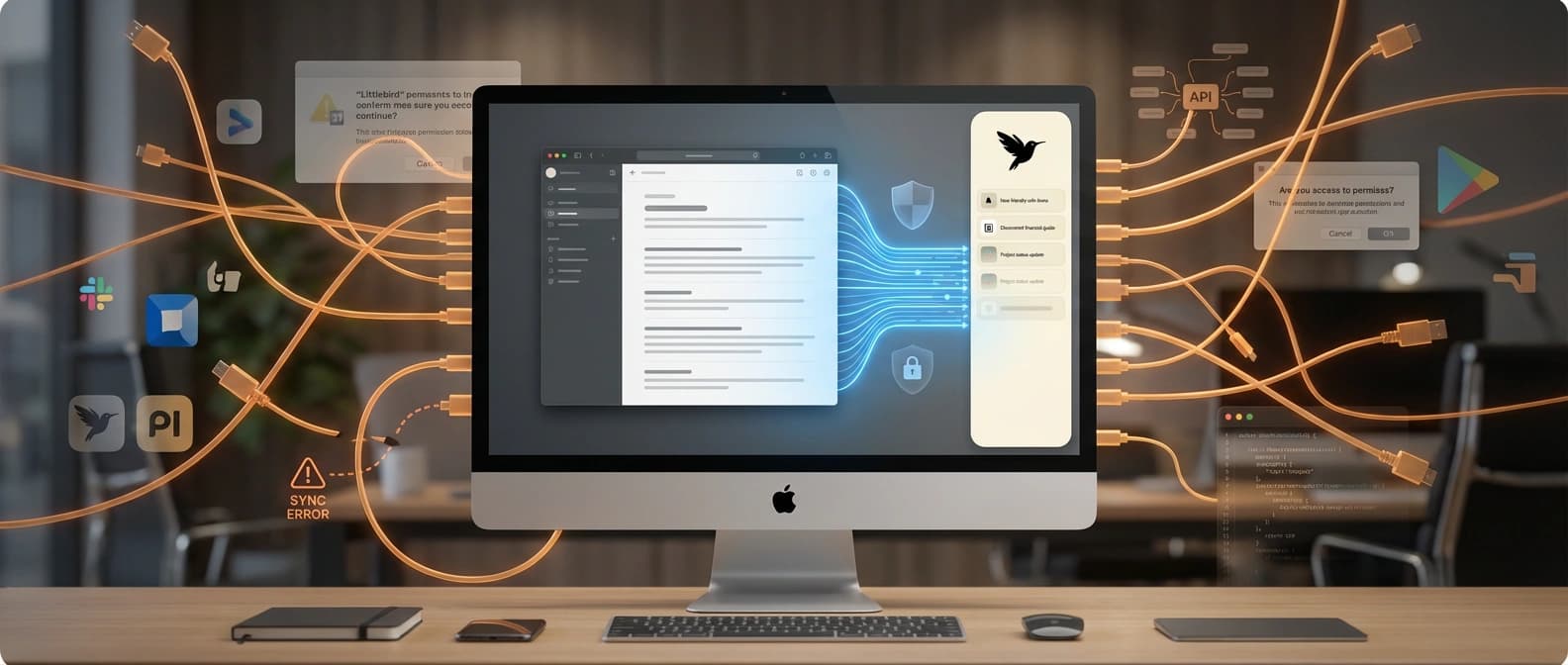
Littlebird AI skips the integration maze by reading the active window instead. That could be the fastest route to assistant context and the fastest route to backlash.
 ainewssilo.com
Integrations are tidy on slides. Screens are where work actually happens.
AI assistants keep promising to understand your work. Then they ask you to connect Gmail, Slack, Notion, Calendar, Drive, Jira, and whatever other SaaS zoo escaped the enterprise paddock this quarter. That is how a lot of "smart" assistants end up knowing just enough to be annoying and not enough to be useful.
Littlebird's pitch is much less polite and, for that reason, much more interesting. Instead of begging every app for an integration, it says it can learn your work by reading the text and elements in the active window on your screen. During meetings, it listens along to take notes. On its site, the company says it ignores minimized apps, private browser windows, and sensitive fields like passwords, and that users can pause collection or delete captured data. It also says the captured data is encrypted and stored in the cloud on AWS.
TechCrunch reported on March 23 that Littlebird has raised $11 million and offers paid plans starting at $20 per month. The funding is not the story. The story is that Littlebird may have found a practical way to give AI assistants real work context without waiting for brittle app integrations to behave themselves. The second story, arriving about three minutes later, is that plenty of people hear "our app reads your screen and stores context in the cloud" and immediately reach for a flamethrower.
Littlebird is attacking integration theater
The dirty secret of AI productivity software is that integrations are catnip in demos and glue traps in real life. In practice, they create a long tail of permissions, sync weirdness, half-maintained connectors, and edge cases that multiply like wet gremlins.
Littlebird's answer is blunt: stop wiring every app one by one. Just look at the thing the human is actively doing.
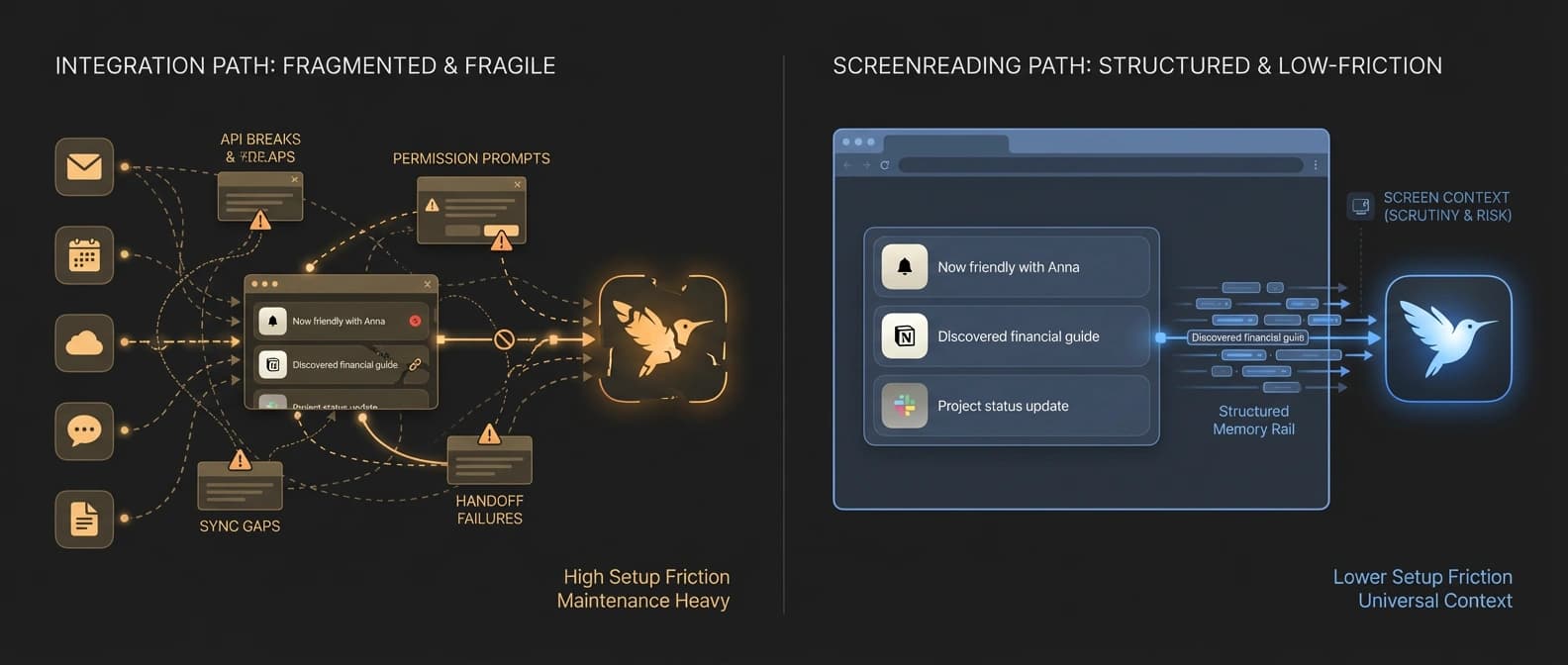
That is a serious idea. Most knowledge work already passes through visible surfaces: docs, browser tabs, chats, tickets, decks, meeting windows. If an assistant can read the active window's text and interface elements in real time, it can build context from the work surface itself instead of from a patchwork of delayed APIs and partial integrations. The company's FAQ makes the point directly: you do not need to connect all your apps for Littlebird to work, and that is supposed to be the whole magic trick.
As we wrote in AI's new battlefront is action, not answers, the market is moving past one-off chatbot replies and toward systems that can hold context, use tools, and do work. The bottleneck is not only model intelligence. It is situational awareness. If the assistant has no idea what you were just reading, writing, or discussing, it is still a very articulate stranger.
Integrations can provide some of that context. They can also become AI's favorite excuse for why the assistant still needs a seven-paragraph briefing before it can answer a simple question. Screenreading is an attempt to skip the ceremony.
Why screenreading may be the faster context rail
Littlebird is not entering a blank category. Microsoft Recall already turned ambient memory into a mainstream argument, and Rewind, later Limitless, has spent years making the case that a machine should remember more of your digital life than you do. Littlebird's contribution is not inventing the memory-tool genre. It is picking a different technical and product bet inside it.
According to TechCrunch, the company frames its system as reading the screen and storing context as text rather than storing screenshots or other visual captures. That matters for two reasons.
First, text is easier to search, summarize, compress, and reuse. If your product goal is "ask about what I was doing earlier" or "prep me for this meeting based on my recent work," text is a cleaner substrate than a warehouse full of images pretending to be memory.
Second, active-window reading is a much more universal surface than app-specific integrations. It does not care whether the useful context lives in a browser-based dashboard, a desktop app, a PDF, a ticketing system, or the weird internal tool your company built in 2019 and still treats like a family heirloom. If it is visible and legible in the active window, it can become part of the assistant's context rail.
That is why Littlebird is more interesting than a standard "AI recall" label suggests. The company is making a platform argument through a consumer-style product. It is effectively saying that the best way to feed assistants real context may not be better prompting or more integrations. It may be letting them watch the same work surface you are already using. That would make screenreading less of a feature and more of an input layer.
It is the same broader shift we have seen elsewhere. In our OpenAI stack analysis, the important story was workflow capture, not demo sparkle. In our Gemini tool-combination piece, the signal was that useful systems combine multiple forms of context and retrieval rather than hoping the model hallucinates its way to competence. Littlebird applies that logic with far less ceremony and much more nerve.
The trust backlash arrives immediately because of course it does
The Littlebird launch thread on Hacker News did not spend long pretending this was a normal productivity app. The post itself was titled "Show HN: Littlebird - Screenreading is the missing link in AI". One of the most revealing replies asked the obvious question: is there any chance of a local-first version? The commenter said sending records of all activity to a cloud service was a non-starter, regardless of encryption claims, because any mistake could be catastrophic.
Littlebird representatives answered that a fully local version runs into a model-quality tradeoff: without capable local LLMs, the product would still depend on outside providers, and the local experience would be meaningfully less smart. It is a fair answer. It is also the answer that splits the market in half.
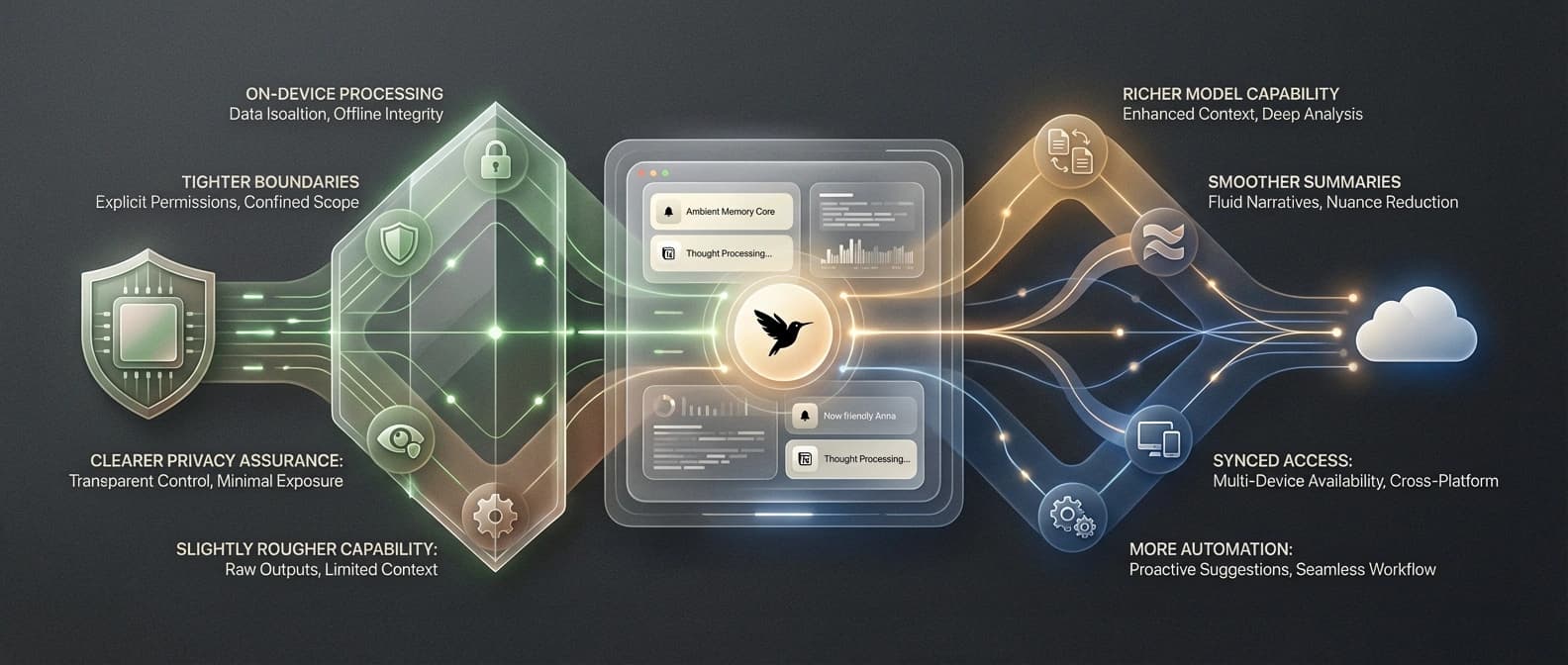
Because here is the actual bargain: Littlebird says it ignores private windows and sensitive fields, lets users pause or delete data, and stores data encrypted in the cloud. Those controls matter. They are not fake. They are also not the same thing as local-first trust. Compliance language can reduce risk. It cannot perform a personality transplant on the core product ask, which is still: please let our software read your day.
That is why the backlash showed up so fast. The convenience pitch is excellent. The trust ask is enormous. And unlike a flaky chatbot, an ambient memory tool is not merely wrong when it fails. It is intimate.
The next fight is convenience versus local-first trust
The clearest sign that Littlebird touched a real nerve is what happened next. A day after the Littlebird Show HN, another Hacker News post framed itself as an open-source Littlebird alternative, explicitly leaning into on-device operation. That does not prove mass adoption of anything. It does prove that the product thesis was legible enough to trigger an immediate counter-build from the local-control side of the market.
That is the split to watch.
One camp will say the only thing that matters is whether the assistant is useful enough to justify the trust trade. Those users will tolerate cloud storage, external models, and always-on capture if the payoff is real: less context dumping, better meeting prep, faster recall, cleaner summaries.
The other camp will say the opposite. If the product works by accumulating the residue of your working life, then where that residue lives is the product. For those users, a weaker on-device system may still beat a smarter cloud one because the trust boundary is the feature.
Littlebird does not get to avoid that fight by being clever about UX copy. The company deserves credit for making the trade unusually clear. It is not selling a cute chatbot with a secret memory feature tucked under the hood. It is selling context capture as the whole product. That is more honest than most of the market. It is also why the objections hit with such force.
Can screenreading become the default context layer for AI assistants?
If Littlebird succeeds, the long-term effect may be larger than one startup. Bigger vendors will notice that screenreading can shortcut integration busywork and make assistants feel useful faster. The most important part of this idea is not the note-taking or the daily summaries. It is the claim that your screen may be the missing context layer.
If Littlebird stalls, it probably will not be because people failed to understand it. The idea is easy to understand. The drag will be that ambient cloud memory still feels like a terrible sentence when stated plainly.
That is why this story matters now. Littlebird is not interesting because it is another app that promises to help you remember things. It is interesting because it turns screenreading into a serious answer to AI's context problem.
"Just let our app read everything" is both a compelling product demo and a magnificent way to discover how much people hate convenience when convenience starts rummaging through the desktop.
Source file
Public source trail
These links anchor the package to the underlying reporting trail. They are not a substitute for judgment, but they do show where the reporting starts.
Primary product claims about active-window text and element capture, meeting notes, pause and delete controls, and encrypted cloud storage on AWS.
Funding, pricing starting at $20 per month, text-not-screenshots framing, and product positioning versus Recall and Rewind.
Launch timing, product framing, and the immediate trust reaction from technical early adopters.
Useful direct evidence of the local-first objection: the product pitch and the trust backlash arrive in the same thread.
Supporting color showing how quickly the on-device counter-position appeared after Littlebird's launch.

About the author
Talia Reed
Talia reports on product surfaces, developer tools, platform shifts, category shifts, and the distribution choices that determine whether AI features become durable workflows. She looks for the moment where a launch stops being a demo and becomes an ecosystem move.
- 34
- Apr 1, 2026
- New York
Archive signal
Reporting lens: Distribution is usually the story hiding inside the launch.. Signature: A feature matters when it changes someone else’s roadmap.
Article details
- Category
- AI Tools
- Last updated
- April 11, 2026
- Public sources
- 5 linked source notes
Byline
Covers product surfaces, tools, and the adoption moves that turn AI features into durable habits.